







Resume

One page · Updated November 2026 · Open full size · View Markdown

Download PDF

Shopify app · Launching soon

GST paperwork, done right inside Shopify.

An app that turns every Shopify order into a correct GST tax invoice, every refund into a credit note, and every month into a filing‑ready GSTR‑1 report.
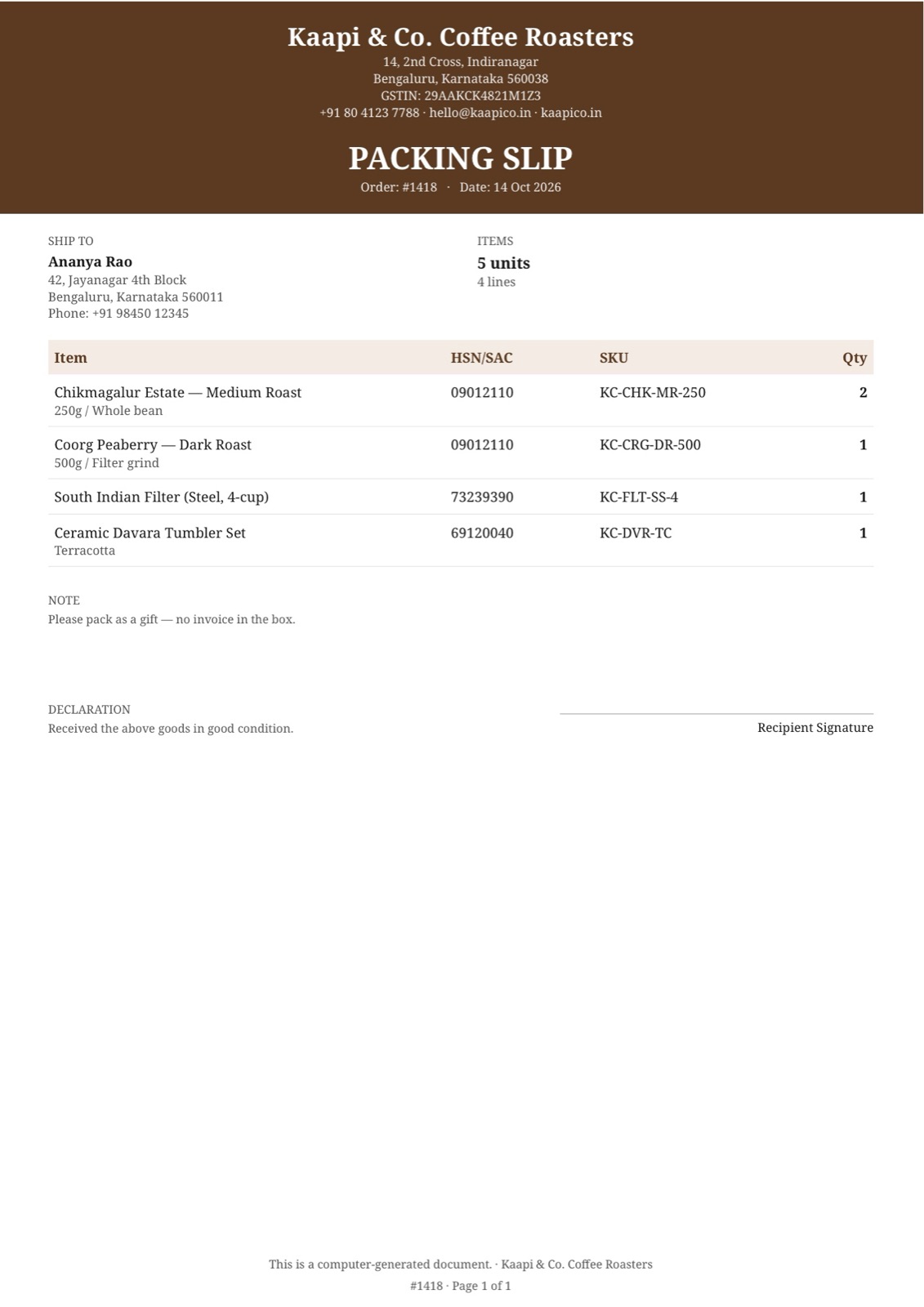
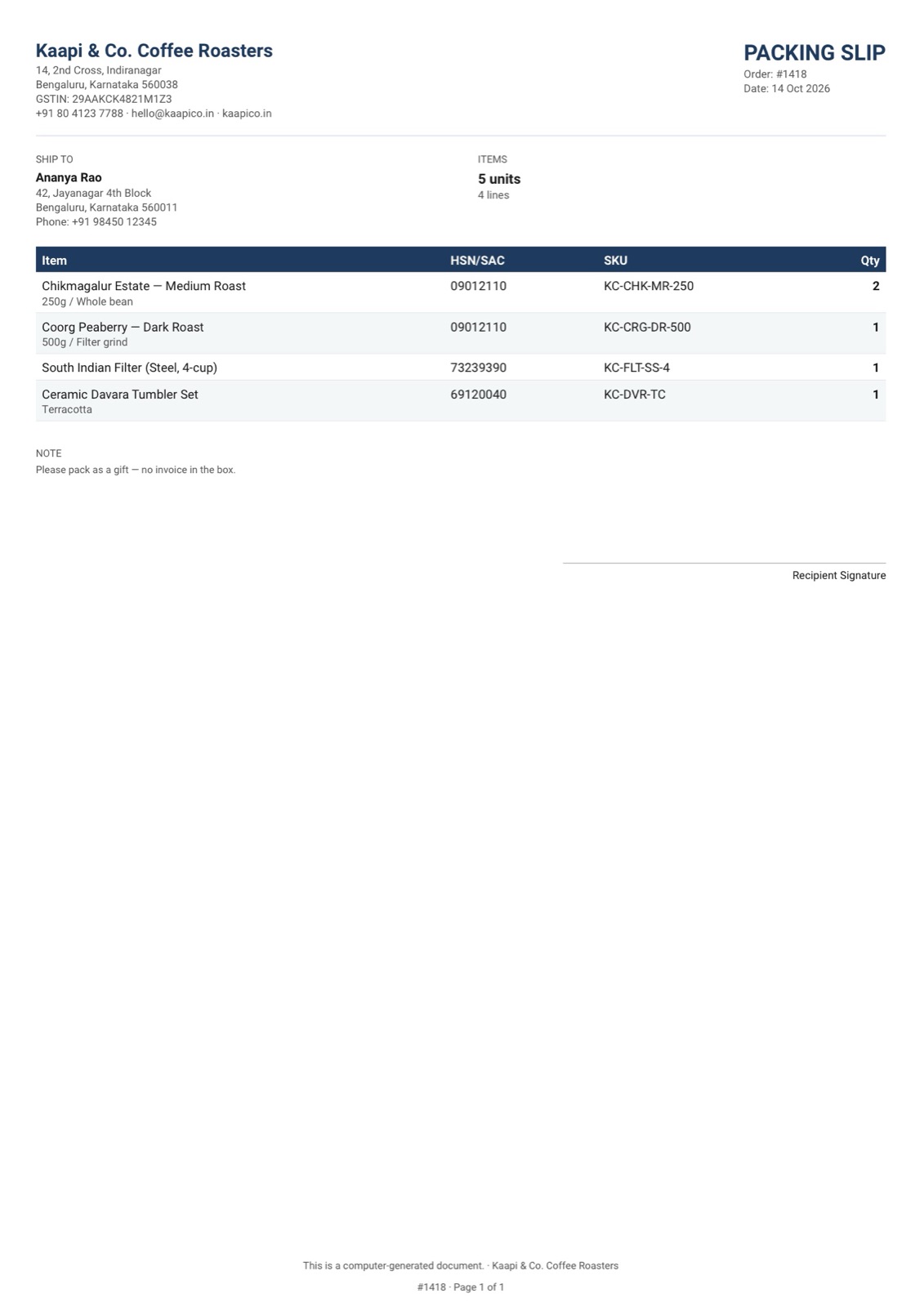
Packing slip in the merchant’s custom template
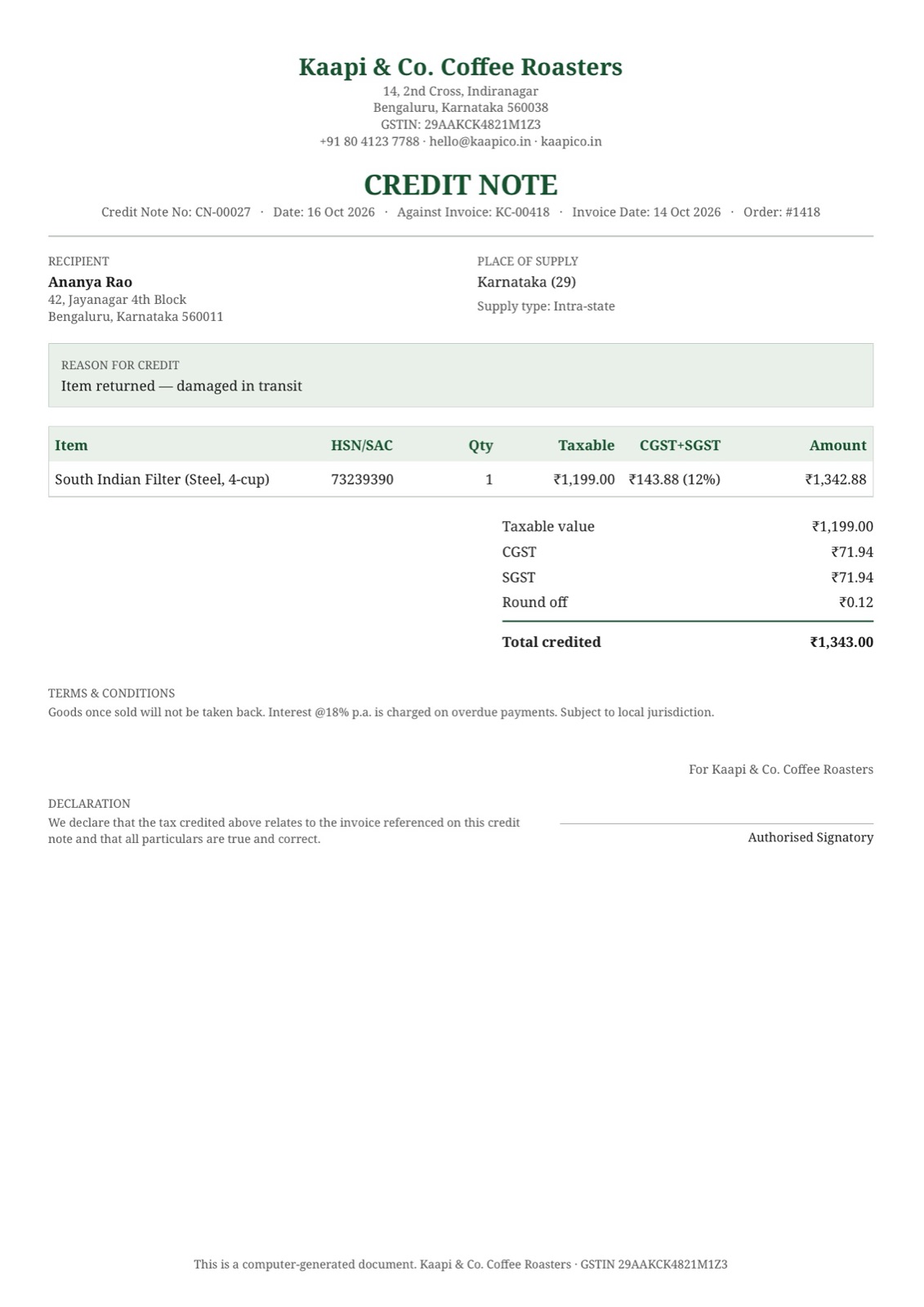
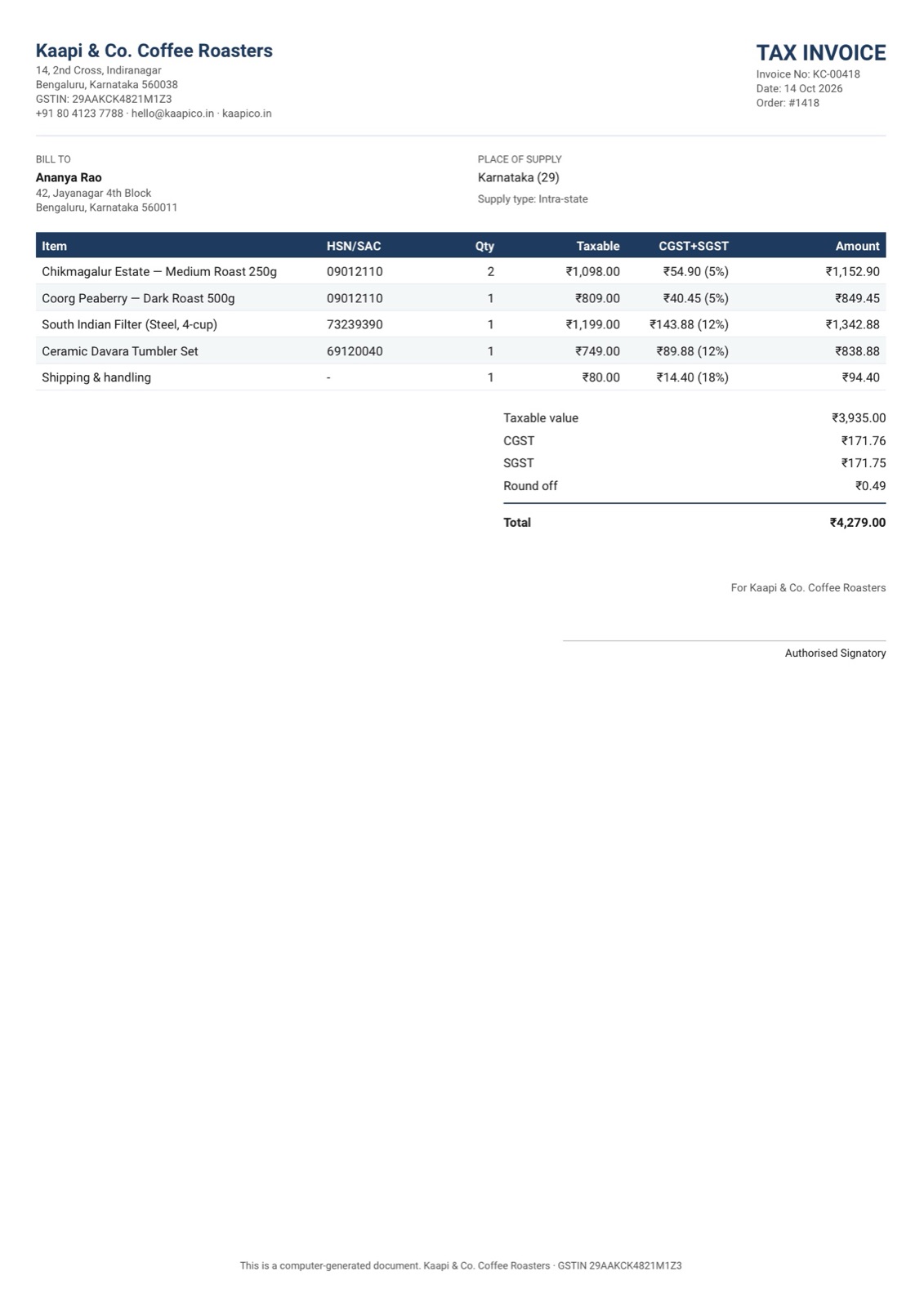
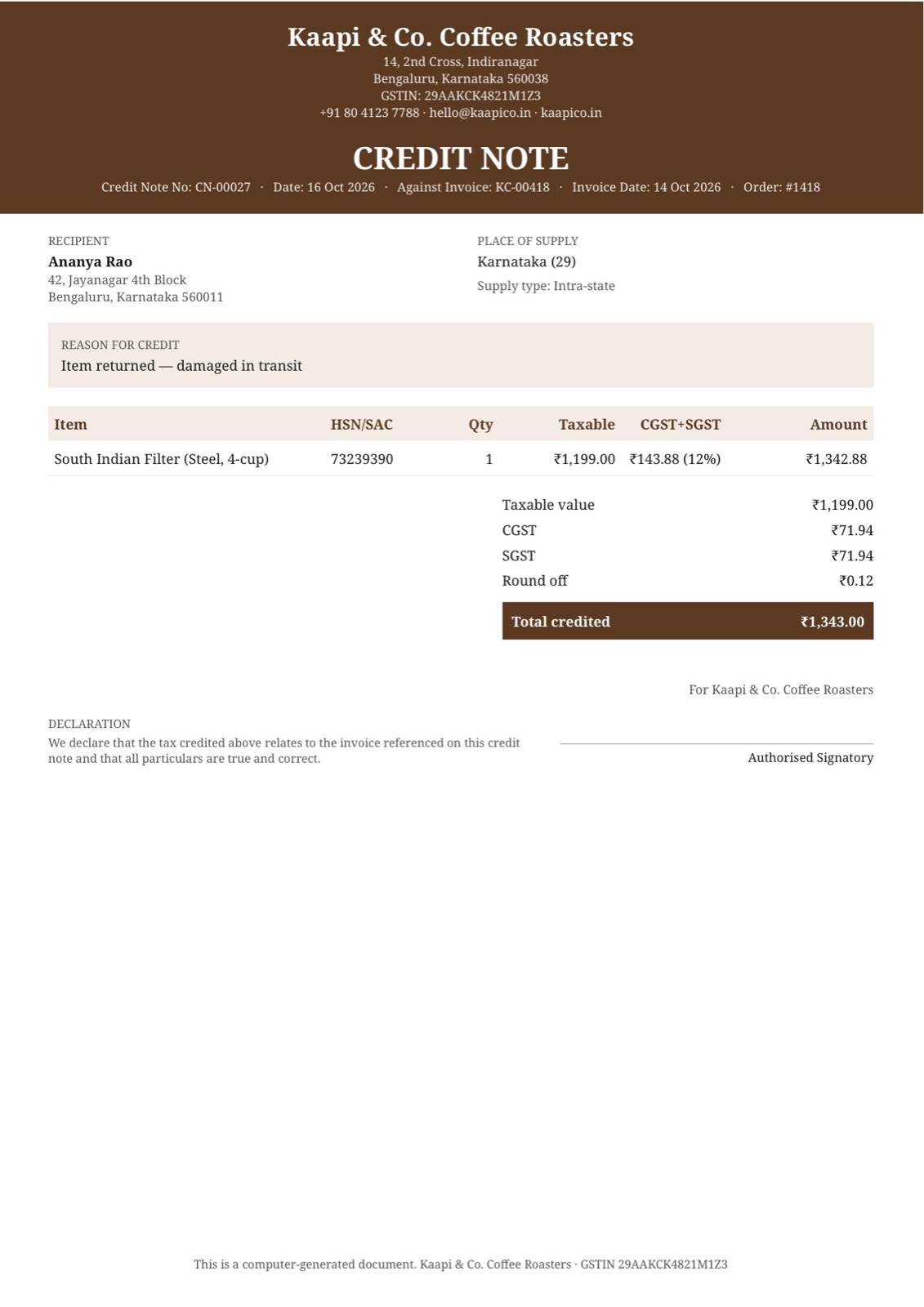
Credit note in the merchant’s custom template
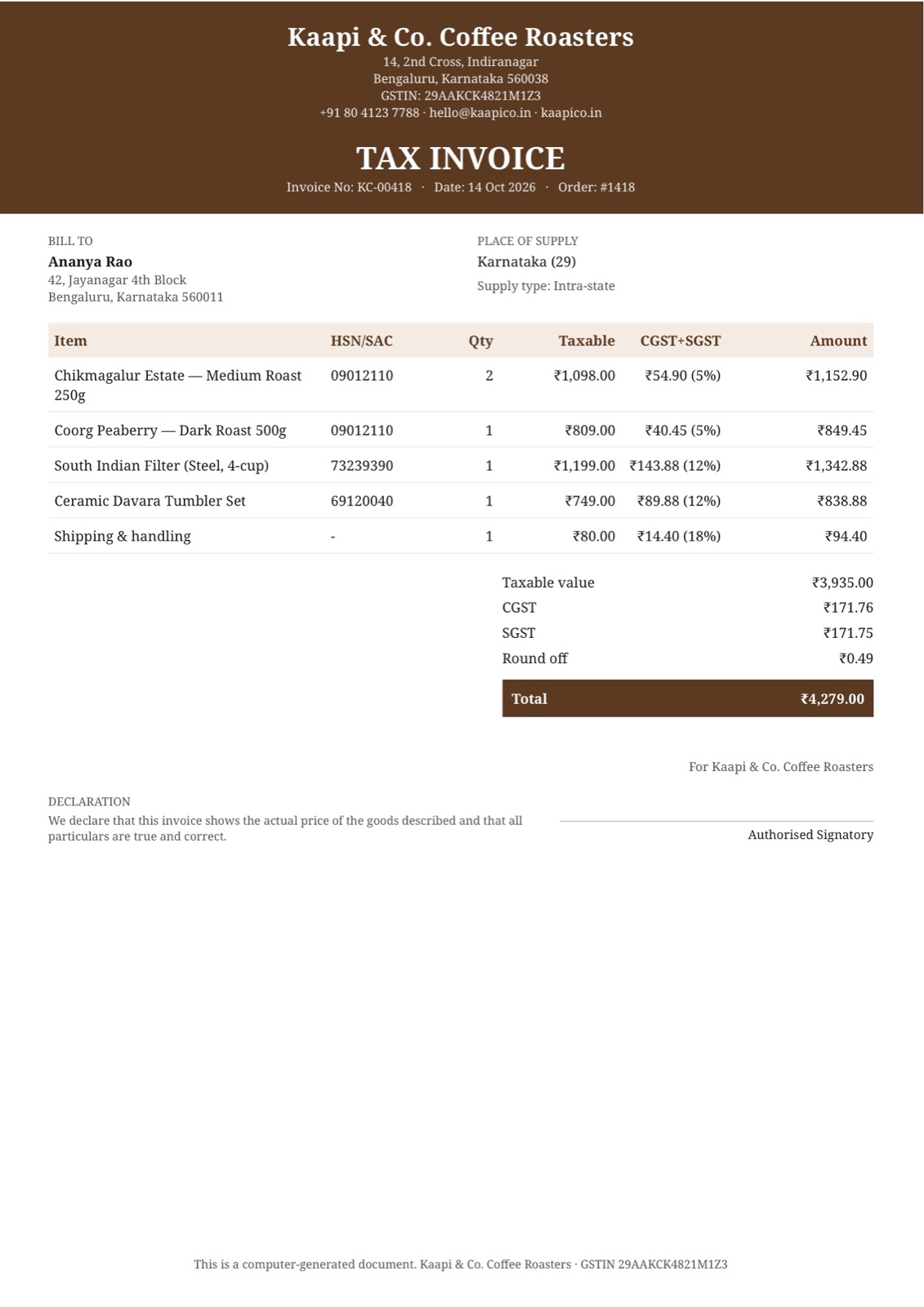
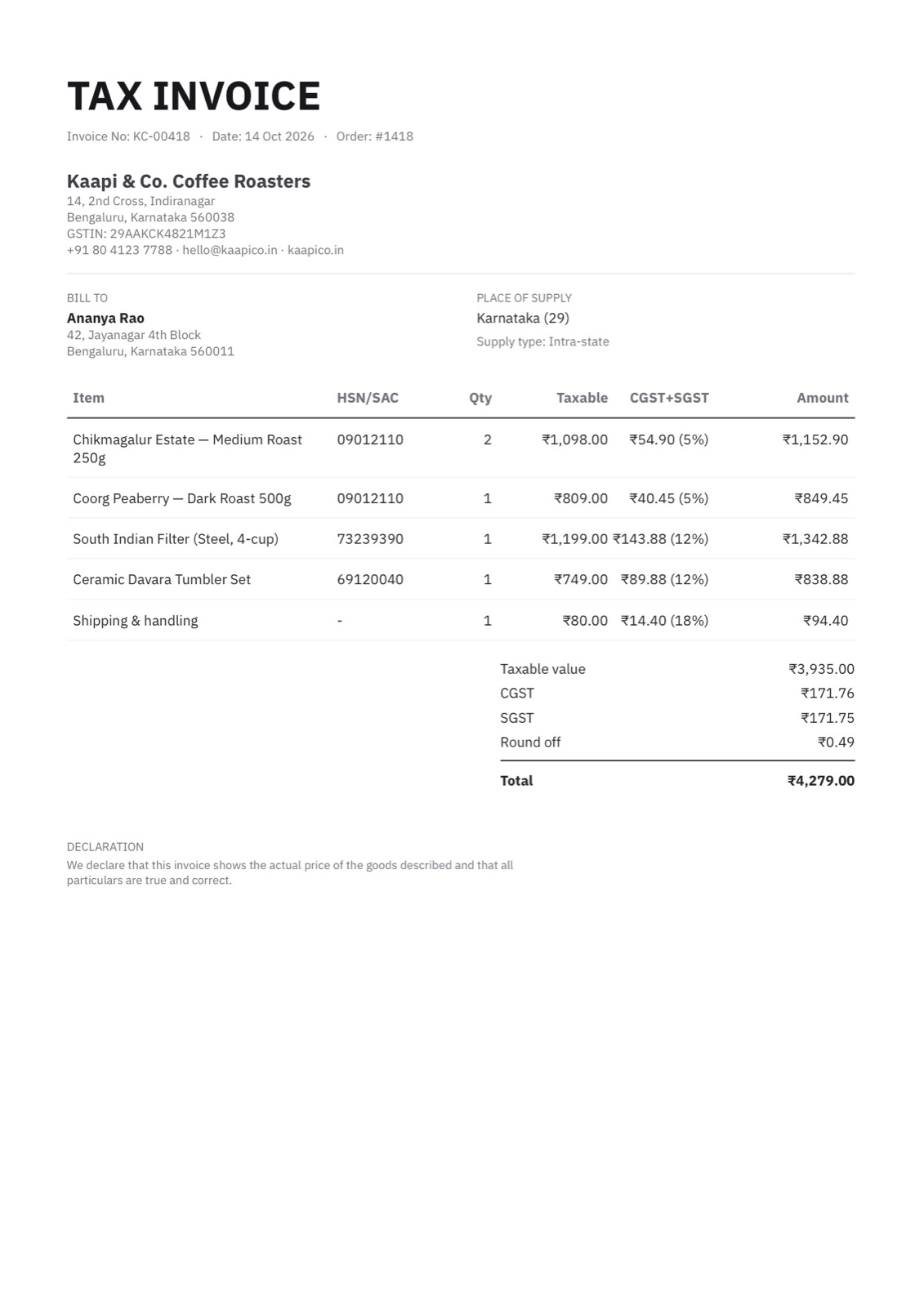
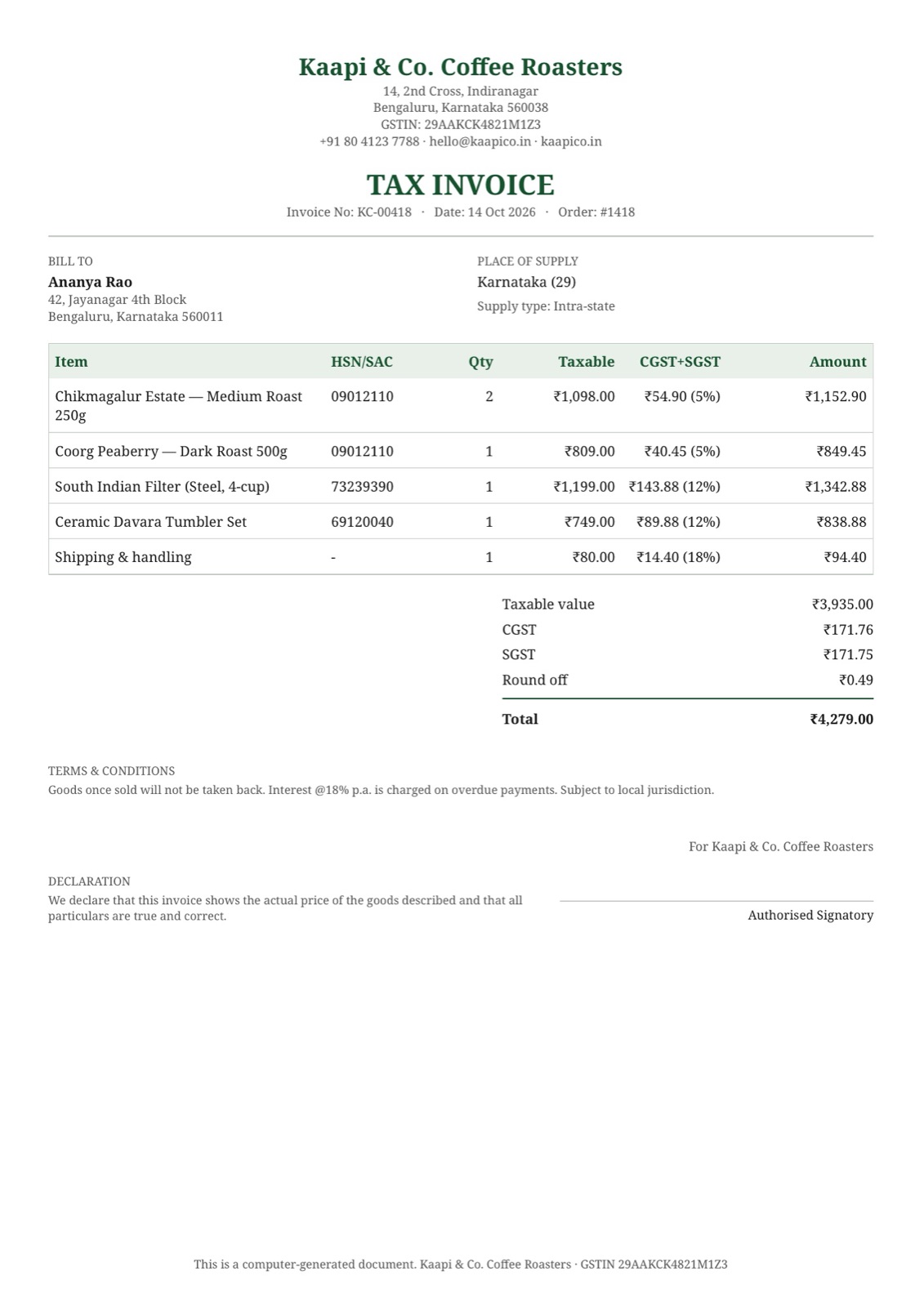
Tax invoice in the merchant’s custom coffee-brown template
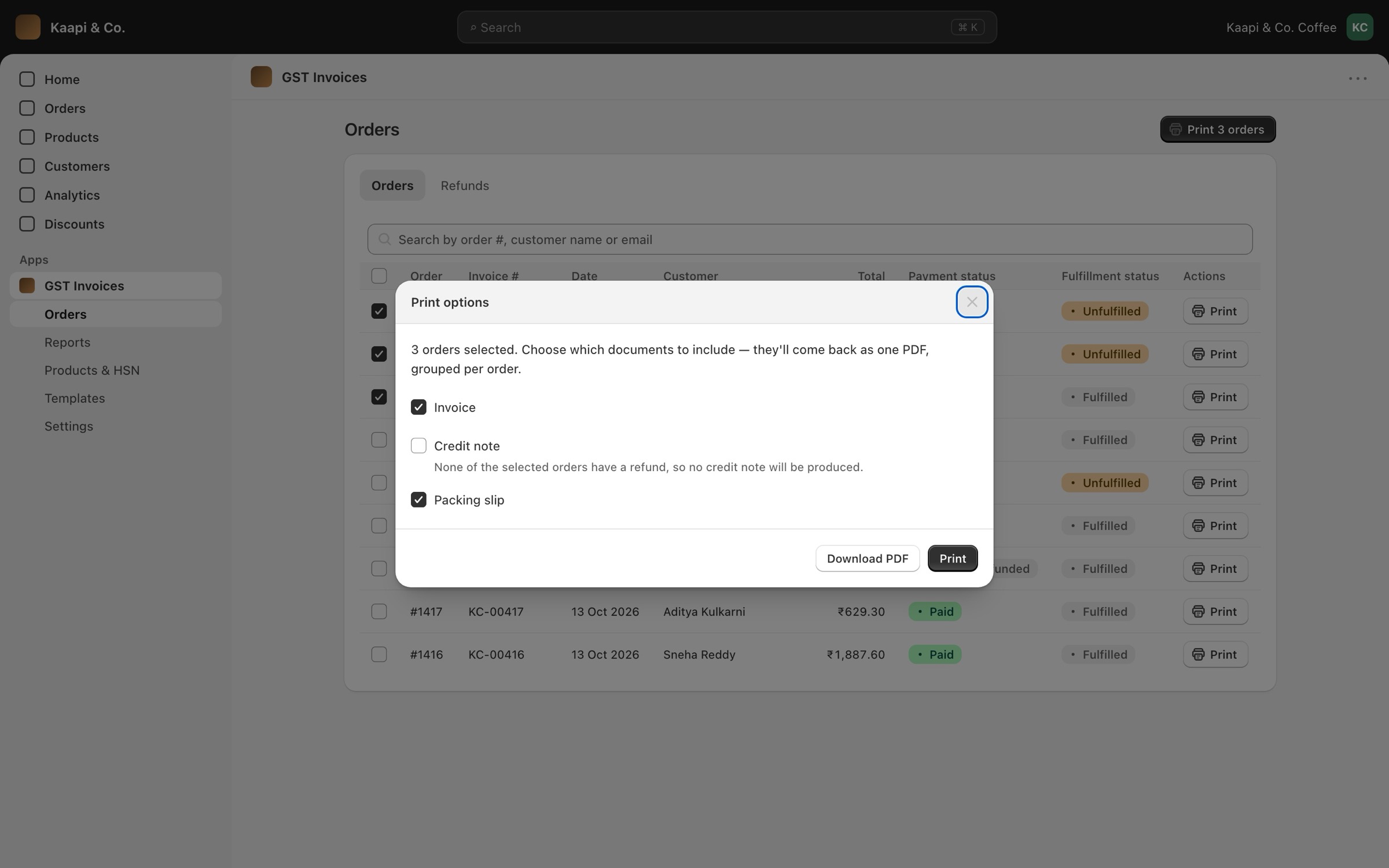
  • Packing slip
  • Tax invoice
  • Credit note
Fig. 01Three documents from one order, in the merchant’s own template, rendered by the app’s PDF engine.
Role
Product, design and engineering, solo
Platform
Shopify embedded app (Admin)
Users
Indian D2C merchants and their accountants
Status
Launching soon on the Shopify App Store

The story in 30 seconds

  1. 01ProblemShopify takes the order, but not the GST paperwork that has to follow it, every month.
  2. 02InsightMerchants don’t want another PDF tool. They want to stop worrying whether their GST numbers are right.
  3. 03What I builtOne app for invoices, credit notes, packing slips and GSTR‑1, all from the same order data.
  4. 04What it handlesDiscount codes, partial refunds and late edits never quietly change the numbers.
01

The problem

Every GST-registered store runs the same paperwork every month.

Shopify takes the order. It does not issue a GST tax invoice, raise credit notes, or produce a GSTR‑1. Merchants fill that gap with copy-paste, spreadsheets and their accountant’s patience.

  1. Every order

    Issue a tax invoice

    The invoice must carry the right details and the right type of tax for where the buyer lives.

    • Seller and buyer GSTIN
    • HSN code per item
    • CGST + SGST within the state, IGST across states
  2. Every refund

    Raise a credit note

    A refund reverses tax already declared, so it needs its own document.

    • Its own consecutive number series
    • Reference to the original invoice number and date
    • Refunded shipping reversed too
  3. Every month

    File GSTR‑1

    Every sale gets sorted into the government’s tables before the deadline.

    • B2B, B2C large, B2C summary
    • Credit notes and HSN summary
    • Documents issued, with no gaps in the series
Insight

Merchants don’t want another PDF tool. They want to stop worrying whether their GST numbers are right.

02

The approach

One app for the whole GST routine.

The merchant installs it, adds their GSTIN, and the paperwork follows every order from sale to refund to filing.

InA Shopify order
  • Items and HSN codes
  • The buyer’s state and GSTIN
  • Discounts paid
  • Refunds and edits
Read onceGST InvoicesTax type, totals and the number series, worked out in one place.
  1. Every orderTax invoice
  2. Every refundCredit note
  3. For the warehousePacking slip
  4. Every monthGSTR‑1 report
Fig. 02One source for every document: nothing is typed twice, so the invoice, the credit note and the return always agree.
ACorrect

Tax figures you can trust

The right tax type for every buyer’s state, discounts applied properly, and an unbroken invoice series.

BComplete

From invoice to GSTR‑1

Invoices, credit notes, packing slips and the monthly GSTR‑1 export, all from the same order data.

COn-brand

Documents that look like the store

Pick a design, set colours and type, and give each document its own look, inside Shopify admin.

03

The product

From install to filing, inside Shopify admin.

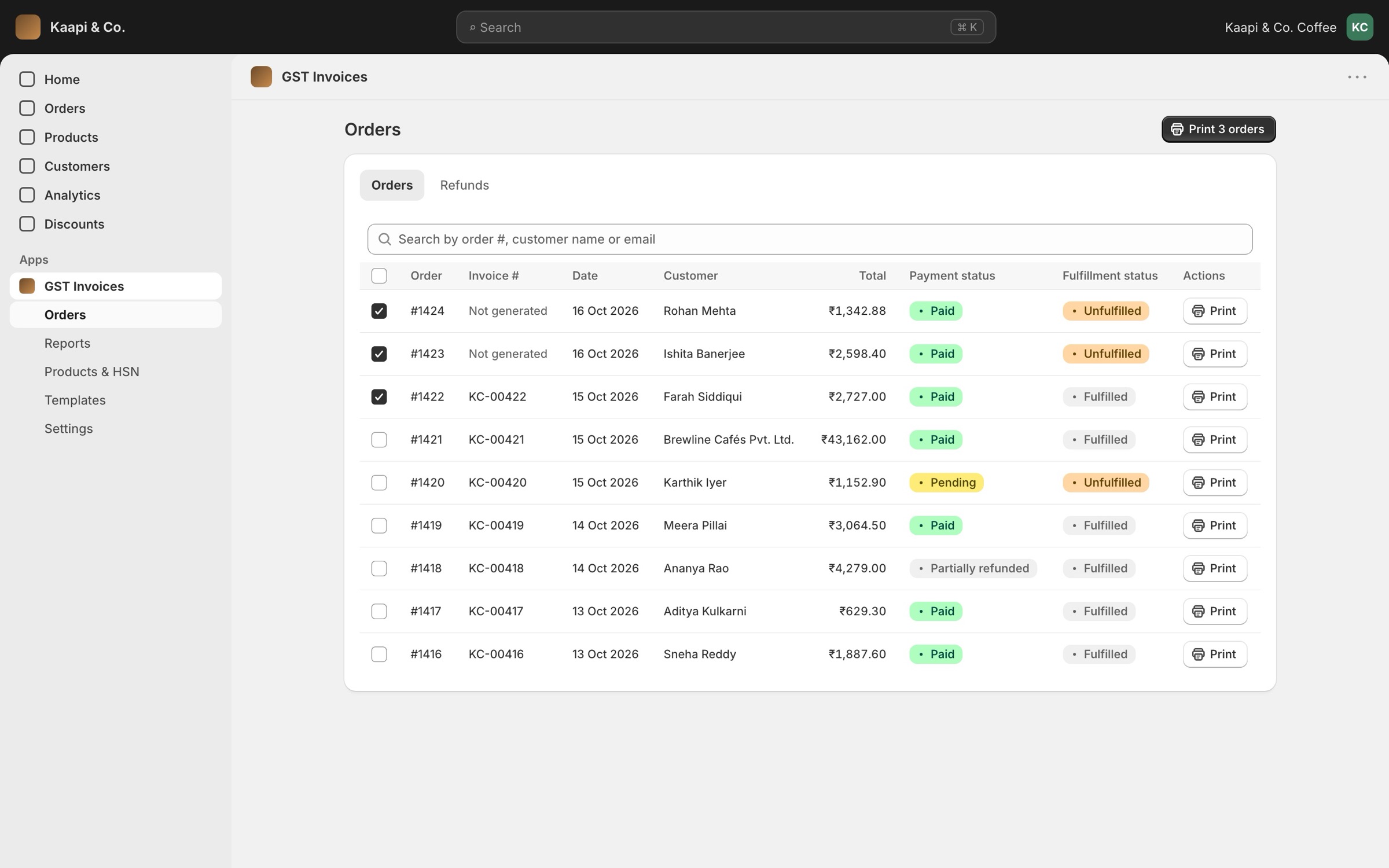
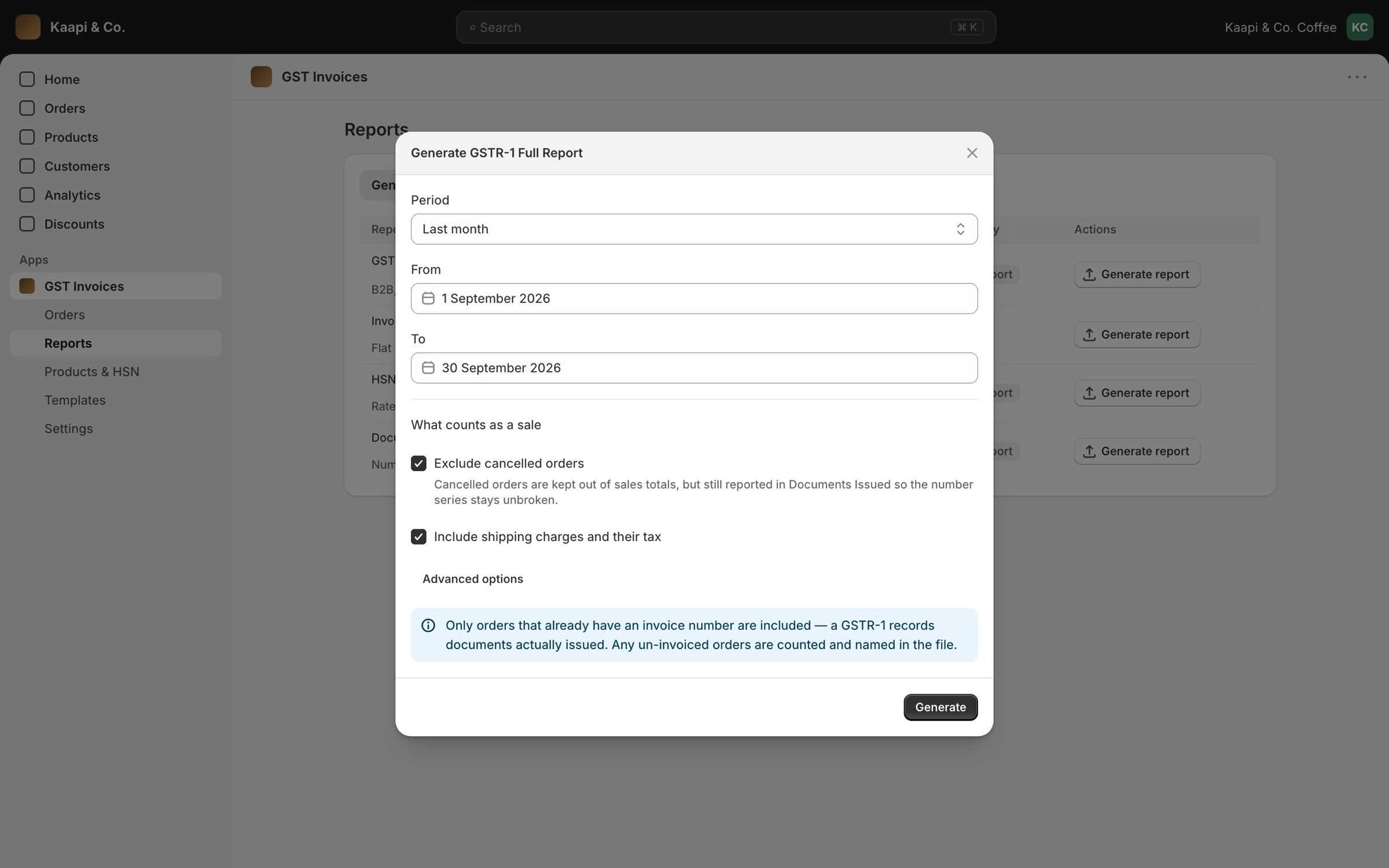
Four steps to the first printed invoice, then one place to run documents and filing every month. Screens are rebuilt from the app’s interface code, with a sample store, Kaapi & Co.
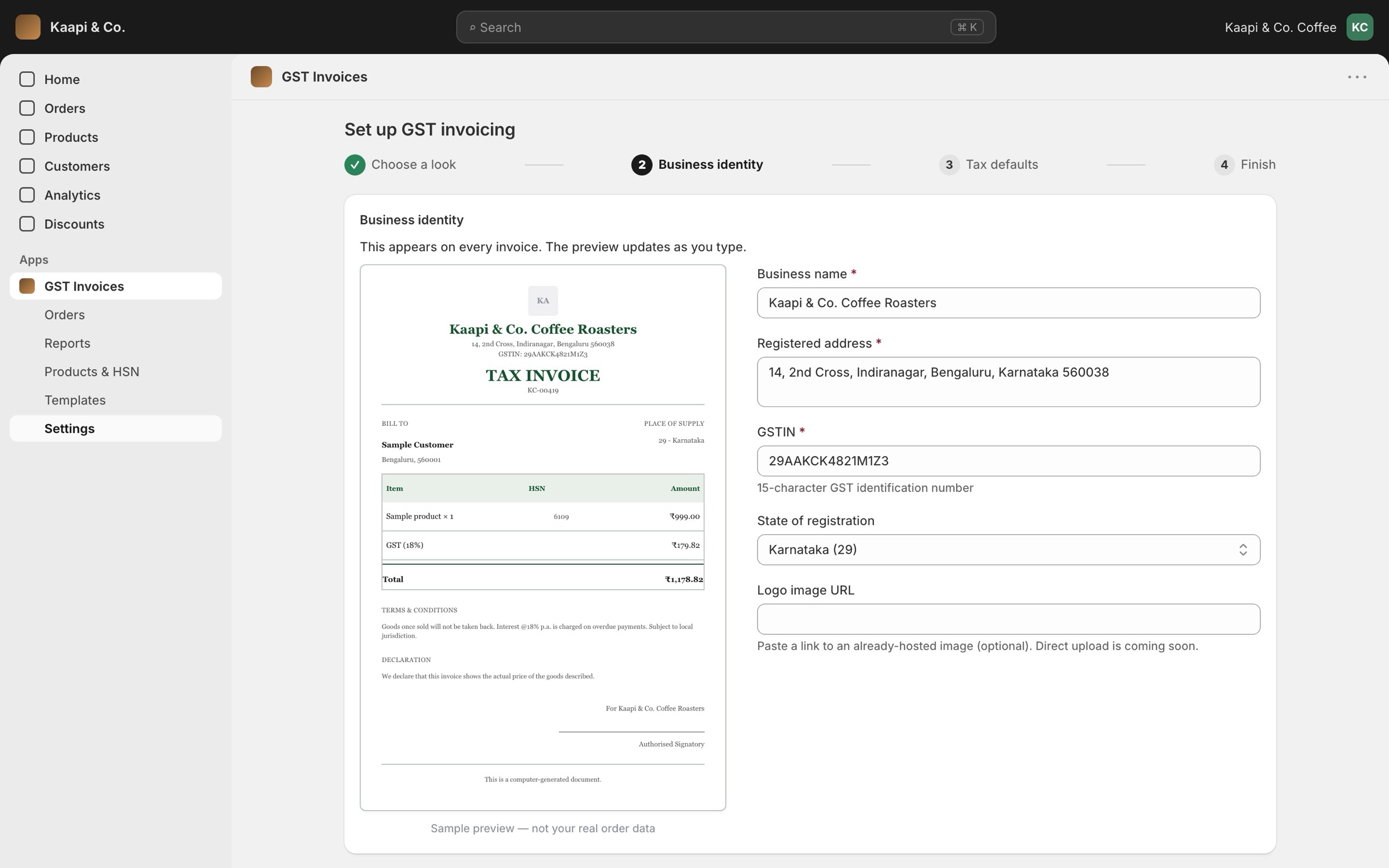
Onboarding screen with business name, address, GSTIN and state fields beside a live invoice preview
Fig. 03Set up. The invoice preview updates as the merchant types. GSTIN format and state code are checked before it continues.
04

The documents

Documents a merchant can hand to a customer, a courier or a CA.

Every page below was rendered by the app’s own PDF engine.

Five starting designs

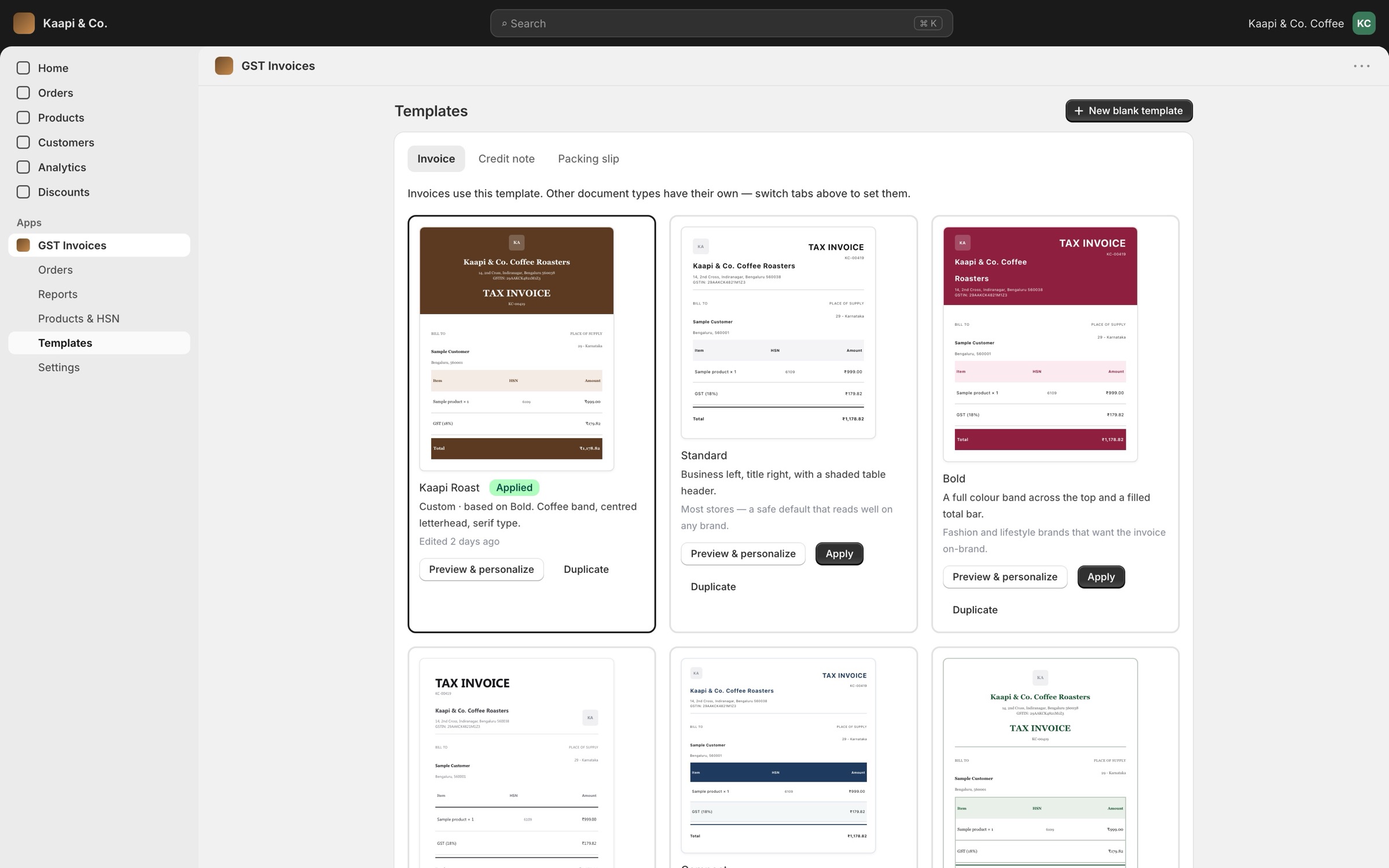
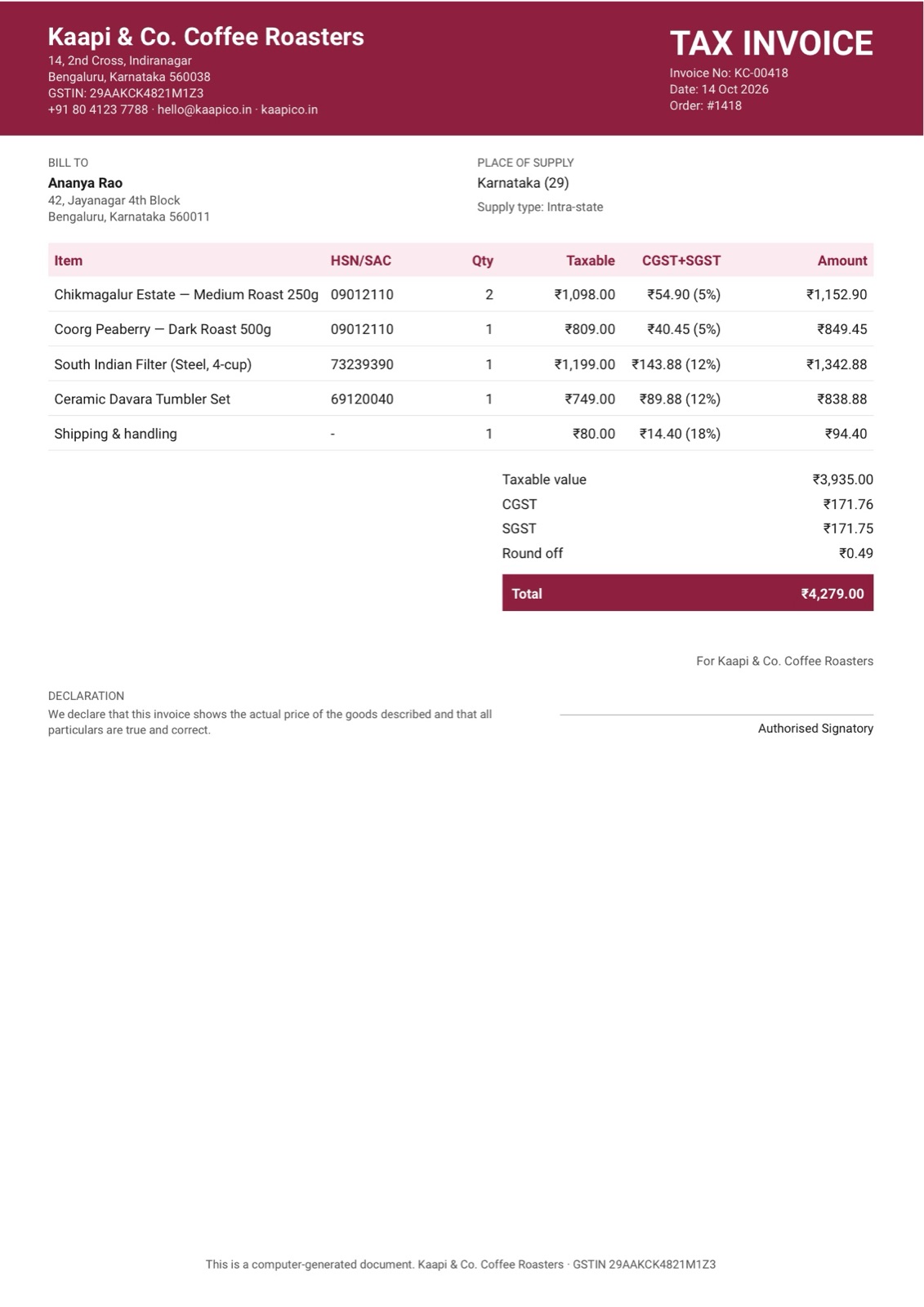
The same order in each. Each one changes the layout, not just the colours: where the title sits, how the table and total are marked, and the typeface.
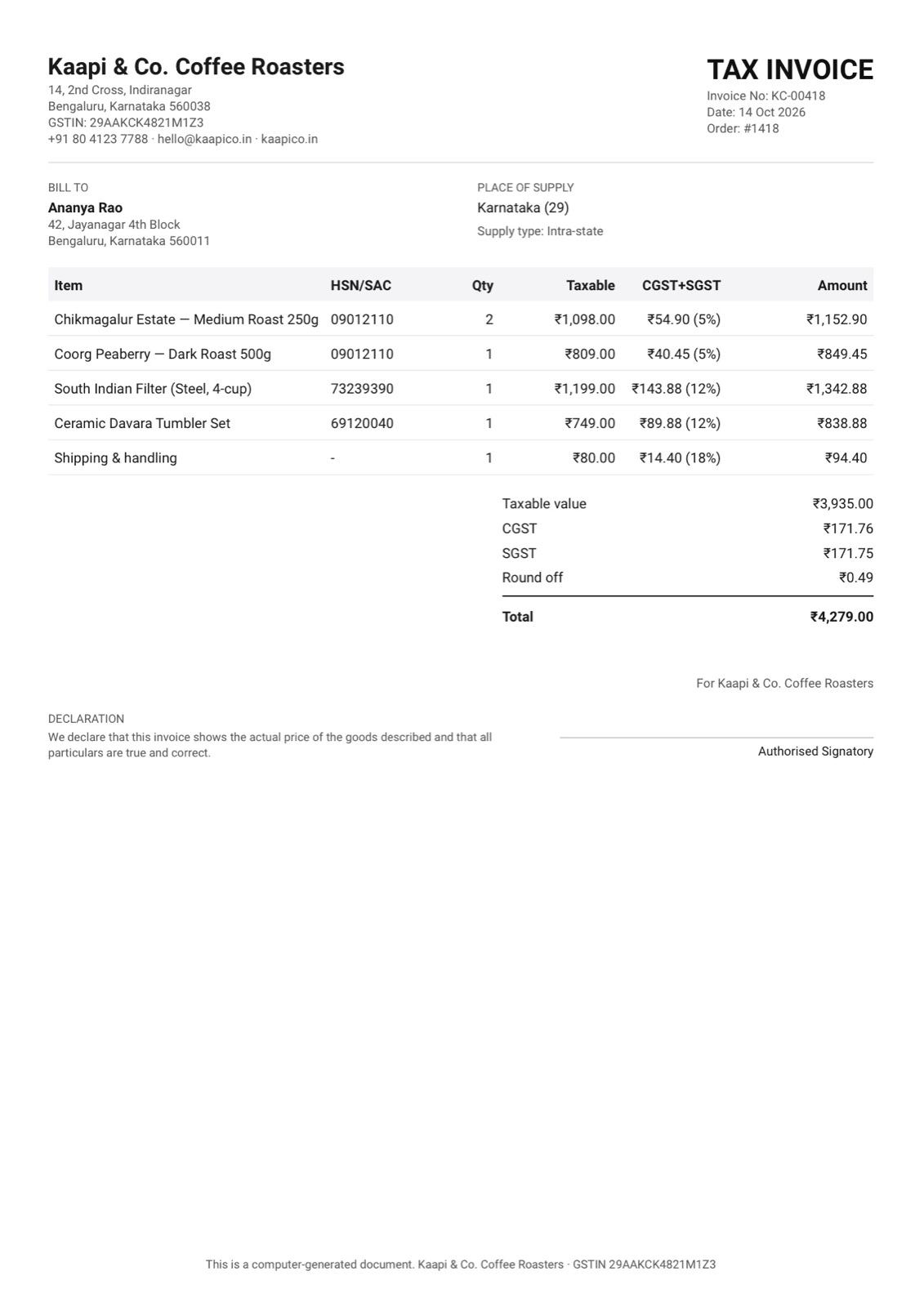
Invoice in the Standard template: Business left, title right, shaded table header.
Fig. 04Standard. Business left, title right, shaded table header.

The right tax for every buyer

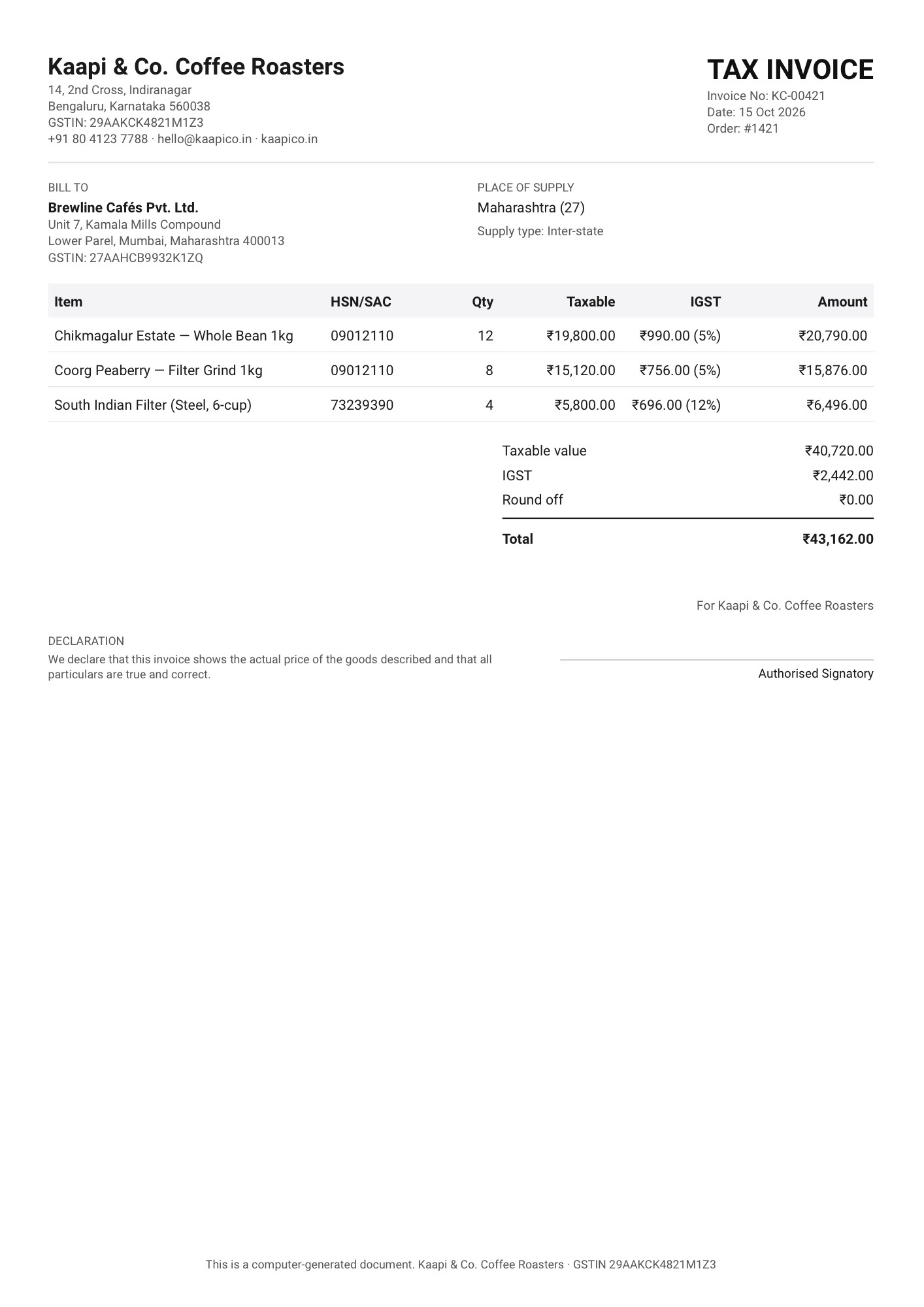
Two orders on the same template. The merchant never picks a tax type: the app reads it from where the buyer is.
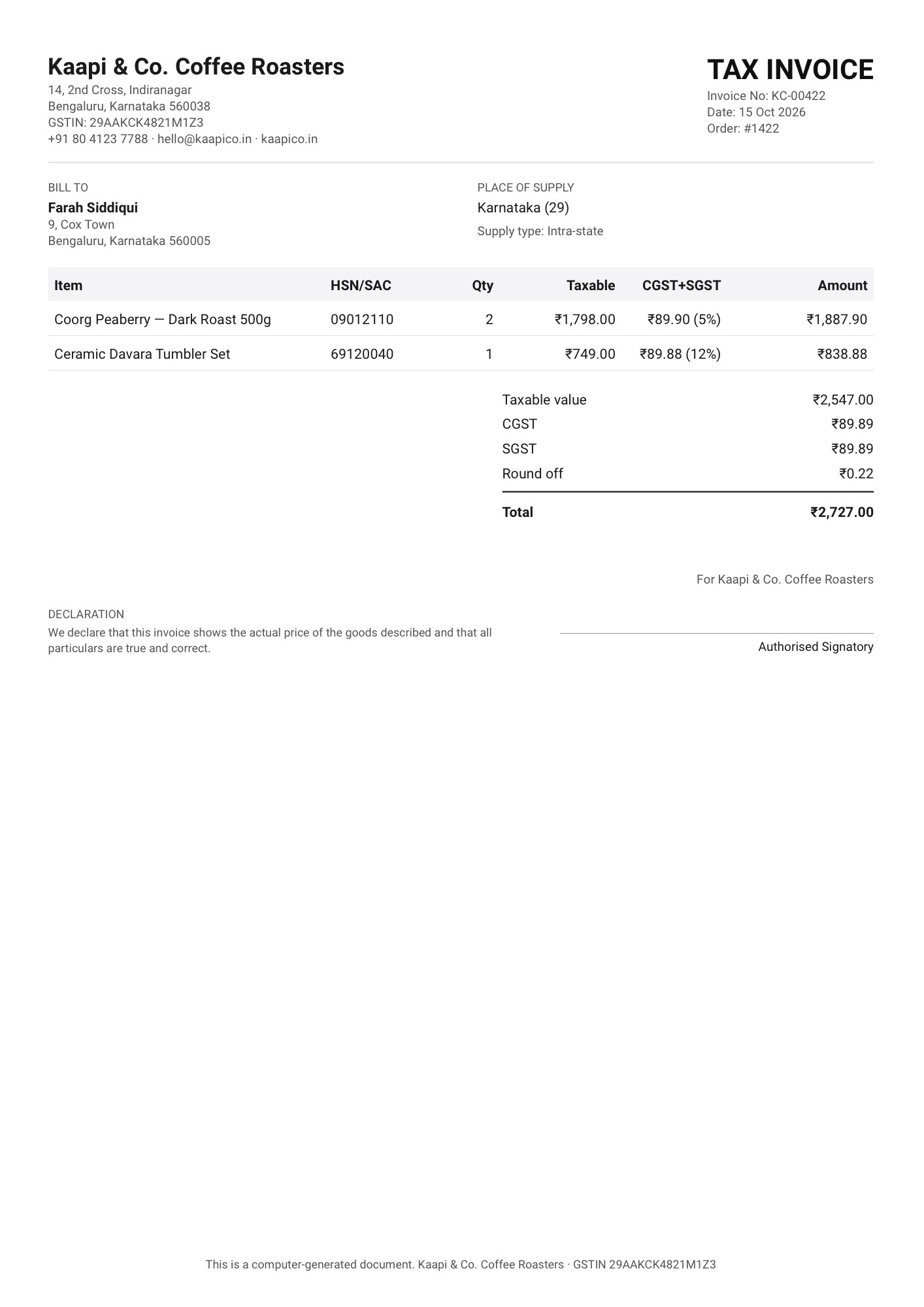
Within the state

Retail customer in Karnataka

Place of supply
Retail invoice for a Bengaluru customer: place of supply Karnataka, tax split into CGST and SGST
Tax lines
CGST ₹89.89SGST ₹89.89
Fig. 05aSame state as the seller, so the tax splits into central and state halves.
Across states

Café chain in Maharashtra

Place of supply
Wholesale invoice for a Mumbai café chain: place of supply Maharashtra, one IGST line
Tax lines
IGST ₹2,442.00B2B · Table 4A
Fig. 05bAnother state, so one integrated tax. The buyer’s GSTIN also puts it in GSTR‑1’s B2B table.
Credit note in the Classic template referencing the original invoice
Fig. 06aCredit note, in Classic. Its own number series, citing the original invoice number and date, as CGST Rule 53(1A) requires.
Packing slip in the Compact template with SKUs and quantities
Fig. 06bPacking slip, in Compact. Built for the warehouse: SKUs, quantities after order edits, and no prices unless turned on.
05

Decisions & trade-offs

Five calls, and why I made them.

  1. 01Flag it, don’t guessTrust

    If a tax figure can’t be worked out, the app flags the order instead of filling in a likely number. On a GST document an honest gap is fixable; a confident error ends up in a filed return.

  2. 02One source for every documentConsistency

    Invoices, credit notes, packing slips and GSTR‑1 are all built from the same order data, never re-entered, so they can’t disagree with each other.

  3. 03Speak the accountant’s languageClarity

    GSTR‑1 options use the terms a CA uses, with a plain-language line on what each one does to the return. The merchant and their accountant read the same screen.

  4. 04Feel like Shopify, not like a new toolFamiliarity

    Search, pagination and layout follow Shopify’s own admin, so there is nothing new to learn on day one.

  5. 05Edit a copy, keep the originalSafety

    Customising a built-in design saves a copy, so a merchant can always go back to where they started.

06

Built for real orders

It handles the cases that trip up GST paperwork.

Real stores have discount codes, partial refunds and late edits. None of them quietly change the numbers.

Discount codes

Tax is worked out on what the customer actually paid.

Split taxes

CGST and SGST are added up correctly, never halved.

Partial refunds

Each refund gets its own credit note, including any refunded shipping.

Late order edits

Edited orders stay in the right month’s return.

Shop timezone

A midnight sale is counted on the day the shop made it.

Invoice numbers

Each number is issued once, with no gaps or duplicates.

07

How it was made

Designed and built end to end.

From the merchant’s monthly routine to a native Shopify app. Every tax rule was checked against the GST regulations, and the tax engine is backed by around 90 automated tests.

Sample store and figures are illustrative.